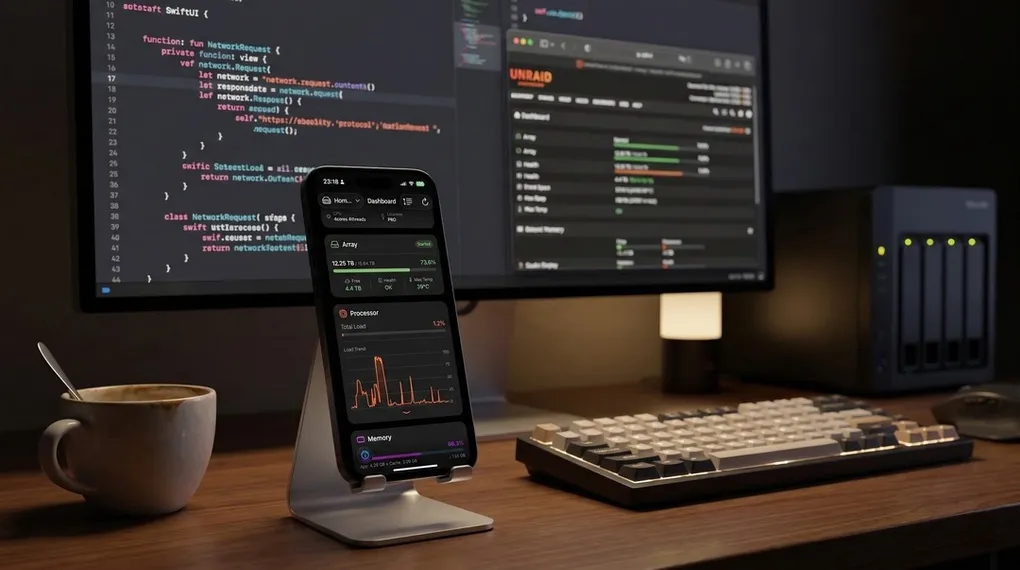
The story usually starts like this: It’s 11 PM, I’m comfortably lying in bed scrolling on my phone, and suddenly I realize my home Emby server isn’t working, or some self-hosted local service has mysteriously dropped its connection.
As a Homelab enthusiast, I know this usually just requires restarting the corresponding Docker container. So, I pull out my phone, open Safari, type in the local IP, enter my username and password to log in, scroll through the page to find the target container, and tap restart. Going through this whole process, it just feels a bit too cumbersome to navigate the Web UI on a mobile phone.
Unraid is an incredibly powerful system, and its Web UI is unparalleled on a widescreen computer monitor. But on a mobile screen, routine lightweight maintenance just isn’t smooth enough.
The Catalyst: The Unraid 7.x API and Refusing to Settle
The real catalyst that drove me to write the first line of code was the release of Unraid 7.x.
This time, official native API support finally arrived. As a developer with mild OCD, this was a massive temptation for me. My first reaction was to search the App Store for existing clients to see how people were utilizing this new API.
I downloaded and tried a bunch of related apps on the App Store, but after testing them, none seemed to perfectly match my personal usage habits. Maybe I’m just too picky, but it always felt like something was missing, and they didn’t truly solve my pain points for managing a server on mobile.
Since the official API was ready and I happened to be a programmer, why not build one myself? With that thought in mind, I dove right into the code.
Half a Month of Coding and a Realistic Choice
I looked into how other productivity tools handled their layouts and figured out the UI and interaction logic I wanted. After about half a month of coding, the first prototype of Unraid Deck was up and running. Seeing the server data actually load and render smoothly on my phone was a pretty solid feeling—it proved the concept worked exactly as I expected.
At this point, I faced a realistic choice: should I keep it as a personal tool for my own use, or push it to the market as a real product?
To be completely honest, the thought of “commercialization” was in my head right from the start. The reason is simple: I wanted to generate some income from this app, and that is exactly the most direct source of motivation that will keep my passion for long-term development alive and enable me to consistently deliver high-quality updates.
Hesitating Over That $100, and the Stubbornness to “Earn It Back”
However, when I was preparing to open an Apple Individual Developer account and faced the $100 annual developer fee, I stared at the payment screen and hesitated for a moment.
I kept calculating in my head: mobile Unraid management is inherently a very niche, geeky market. Could I really earn back this $100 “admission ticket” with this app?
After a moment of hesitation, I just thought: whatever.
Since I feel this mobile pain point so strongly myself, there must be other players out there in the world who, while lying in bed late at night, crave a handy, beautiful native app. Even if I only sell a few copies at first? At least it would prove its value. Worst-case scenario, if this app truly flops and nobody buys it, I’ll just use this developer account to write a few other apps and scrape that $100 cost back somehow!
It was exactly with this bizarre “I’ll just write more apps to break even” mindset that Unraid Deck was finally submitted to the App Store.
A v1.0 Tailor-Made for Myself
Because I mess with various containers the most on a daily basis, I made Docker management and log monitoring the absolute core of the first version. It was completely “tailor-made” based on my own heavy usage habits.
This isn’t a project forcefully thrown together just for commercial purposes; it’s a productivity tool I built for myself first, and a published product second.
I never shy away from talking about hoping this app makes money, because every download or in-app purchase from a user is the most direct validation of my code, and the fuel that supports me in continuously polishing it to perfection.
If you, like me, feel that navigating the Unraid web page in a mobile browser is a bit cumbersome, you are welcome to download and try Unraid Deck on the App Store. I hope it saves you a bit of tinkering time and lets you get a good night’s sleep.